
Download MacZip – Classic Mac ZIP/UNZIP Utility for PPC Systems
Overview
MacZip is a vintage compression and extraction tool that was originally built for the PowerPC‑based Mac Classic environment. While modern macOS users have a wealth of archive managers at their fingertips, there remains a niche community of retro‑computing enthusiasts who still run classic System 7, Mac OS 8, or Mac OS 9 on original hardware or emulators. For these users, MacZip offers a reliable way to create ZIP archives and unpack files from a surprisingly wide range of platforms, including Unix, VMS, Minix, MS‑DOS, OS/2, Windows NT, Atari, Amiga, and Acorn RISC OS.
The software bundles two separate executables—ZIP for compression and UNZIP for extraction—each designed to work within the classic Mac filing conventions. Although the name suggests a modern solution, MacZip is purpose‑built for legacy machines; it does not run on Intel‑based Macs or current macOS releases. This limitation is intentional, preserving the original user experience and ensuring compatibility with the older file‑system APIs that newer operating systems have abandoned.
For collectors, archivists, or developers maintaining legacy codebases, MacZip remains a valuable utility that bridges the gap between old‑school file formats and contemporary archival needs. Its small footprint, straightforward interface, and broad platform support make it a noteworthy artifact in the history of Mac software, even if its practical use today is confined to classic Mac enthusiasts.
Key Features
- Dual‑mode operation: Separate ZIP and UNZIP commands allow precise control over compression and extraction tasks.
- Cross‑platform compatibility: Handles archives created on Unix, VMS, Minix, MSDOS, OS/2, Windows NT, Atari, Amiga, and Acorn RISC OS.
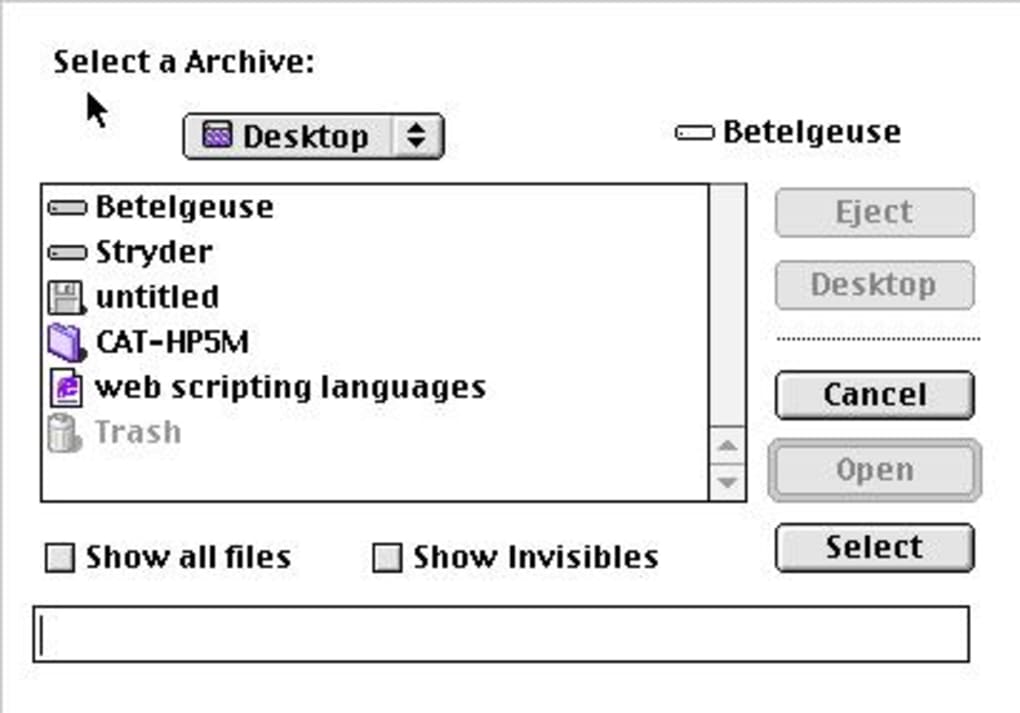
- Classic Mac UI: Native System 7/OS 8/OS 9 interface that integrates with the Finder and supports drag‑and‑drop.
- Low system requirements: Runs on any PowerPC Mac Classic with as little as 4 MB of RAM and a 10 MB hard‑disk footprint.
- Command‑line support: For power users, both ZIP and UNZIP can be invoked from the Terminal with full option sets.
- Secure archiving: Supports basic password protection for ZIP files, a rare feature among classic Mac archivers.
- Batch processing: Users can select multiple files or folders for simultaneous compression or extraction.
Installation & Usage Instructions
Installing MacZip on a PPC Mac Classic is a straightforward process that mirrors the simplicity of classic Mac software distribution. Begin by downloading the MacZip disk image (typically a .dmg or .img file) from a trusted retro‑software archive. Mount the image by double‑clicking it; the system will present a virtual disk on the desktop. Drag the MacZip folder into the Applications directory or any preferred location. No additional installers or scripts are required, as the application is self‑contained.
Once installed, launch the ZIP utility to create an archive. Drag the files or folders you wish to compress onto the ZIP window, choose a destination, and click Compress. MacZip will generate a .zip file that can be transferred to other platforms or stored for backup. To extract an archive, open the UNZIP utility, drag the target ZIP file into the window, and press Extract. The contents will be unpacked into the same folder as the archive, preserving original file attributes whenever possible.
Advanced users can access command‑line options by opening the Classic Mac Terminal (or an emulated shell) and navigating to the MacZip directory. Typing zip -h or unzip -h will display a full list of flags, such as -r for recursive directory compression or -p to prompt for a password. Because MacZip respects the classic Mac OS file‑type and creator codes, the extracted files retain their original type identifiers, ensuring seamless integration with older applications.
Compatibility note: MacZip is designed exclusively for PowerPC‑based Mac Classic systems running System 7 through Mac OS 9. It will not launch on Intel‑based Macs, Apple Silicon machines, or any modern macOS version without a Classic environment emulator such as SheepShaver or Basilisk II.
Pros, Cons, FAQ & Conclusion
Pros
- Runs natively on legacy PowerPC hardware with minimal resource usage.
- Supports a wide range of historic platforms, making cross‑system archival easier.
- Simple, Finder‑integrated UI that feels familiar to classic Mac users.
- Provides both graphical and command‑line interfaces for flexibility.
- Free and openly distributed through retro‑software archives.
Cons
- Incompatible with modern Intel or Apple‑silicon Macs without emulation.
- No support for newer compression algorithms (e.g., 7z, RAR, or LZMA).
- Lacks automated update mechanism; users must manually obtain newer releases.
- Limited documentation; most guidance is community‑generated.
- Security features are basic; password protection is not as robust as modern standards.
Frequently Asked Questions
Can MacZip run on macOS Catalina or later?
No. MacZip requires a PowerPC Classic environment. Modern macOS versions lack the Classic layer, so you must use an emulator such as SheepShaver to run it.
Is the ZIP format created by MacZip compatible with Windows 10?
Yes. MacZip produces standard ZIP archives, which can be opened by Windows Explorer, 7‑Zip, WinRAR, and virtually any contemporary ZIP utility.
Do I need any additional software to extract archives created on Unix or VMS?
No. MacZip’s UNZIP component handles the same compression method used on those platforms, so extraction works out‑of‑the‑box.
How do I protect a ZIP file with a password in MacZip?
When using the graphical ZIP utility, check the “Password” box and enter your desired phrase before clicking Compress. From the command line, add the -p flag followed by the password.
Is there a way to update an existing archive without recreating it?
MacZip does not include an “append” feature. To add new files, you must extract the archive, add the files, and then re‑compress the entire set.
Conclusion & Call to Action
For anyone who still cherishes the era of PowerPC Classic Macs, MacZip remains an indispensable, free tool that bridges the gap between historic platforms and today’s archival standards. Its straightforward UI, cross‑platform reach, and minimal system demands make it a reliable companion for retro developers, archivists, and hobbyists. While it lacks modern conveniences such as automatic updates or advanced compression formats, those trade‑offs are expected for software that faithfully preserves the classic Mac experience. If you’re running a PPC Mac Classic or an emulator and need a trustworthy way to zip and unzip files across a myriad of legacy systems, download MacZip today and keep your vintage workflows running smoothly.







